The Brave Few Difficulty Settings & Mission Setup
Presets, custom opposition sliders, training toggles, and Morning-to-Night lighting rigs explained.
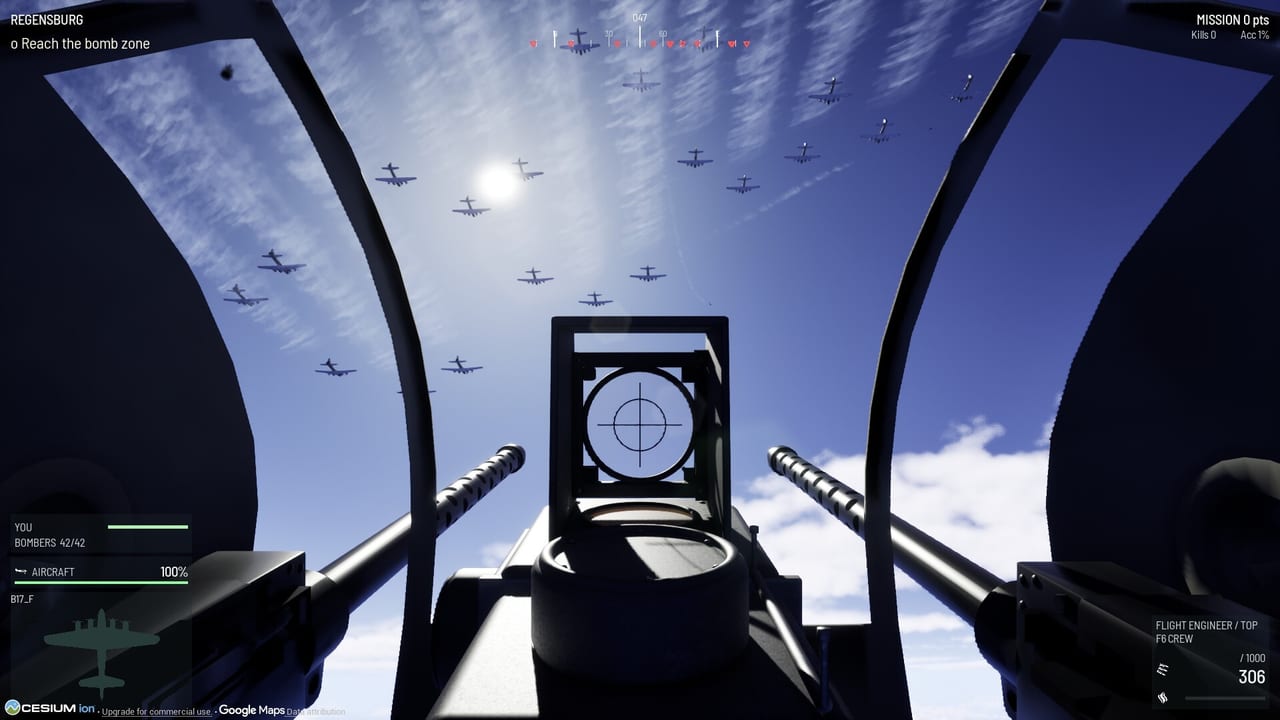
Mission setup in The Brave Few is part of the Early Access fantasy. Steam’s current-state FAQ lists four difficulties — Easy, Normal, Hard, Veteran — plus a custom difficulty panel with fighter count 1–200, ace count 1–50, fighter skill, unlimited crew health, unlimited aircraft health, unlimited ammunition, and crew job sequences off. Separately you pick one of four times of day — Morning, Noon, Dusk, Night — each a complete lighting rig chosen before launch. This Tools page documents those official options and how hosts should combine them with Arcade/Realistic flight. Pair it with Getting Started, Controls, Arcade vs Realistic, Co-op Tips, and Survive Flak.
Four presets
| Preset | Use when |
|---|---|
| Easy | Brand-new stations, teaching nights, validating binds |
| Normal | Default co-op hop; fair pressure without Veteran chaos |
| Hard | Crews that already repair, heal, and bomb on timing |
| Veteran | Practised Private groups chasing peak opposition |
Presets sit above the custom panel as named starting points. About text also mentions historically based missions with varying difficulties and times of day — expect mission designers to assume you can raise or lower pressure around those baselines.
Custom difficulty panel
Steam enumerates these custom controls:
- Fighter count 1–200 — raw volume of opposing fighters
- Ace count 1–50 — how many high-skill threats appear inside that volume
- Fighter skill — overall competence of the opposition
- Unlimited crew health — training toggle that removes crew wound pressure
- Unlimited aircraft health — training toggle that softens airframe loss learning
- Unlimited ammunition — training toggle for gunnery practice without belt anxiety
- Crew job sequences off — disables the structured job flow so you can isolate other skills
These are powerful. A Normal preset with fighter count shoved toward the high hundreds is no longer a “Normal” experience. Label your Public lobby honestly if you deviate.
Training versus authenticity
| Goal | Suggested custom lean |
|---|---|
| Learn fuselage paths | Job sequences off optional; keep health limited so fires still teach |
| Learn turrets only | Unlimited ammo on; modest fighter count |
| Learn Engineer triage | Unlimited aircraft health off; Easy/Normal preset |
| Learn Medic under fire | Unlimited crew health off; raise skill gradually |
| Stress-test hosts | Raise fighter/ace counts carefully after binds are solid |
Unlimited toggles teach aiming or sightseeing; they do not teach why leaving a gun for a fire matters. Turn them off before you judge Hard/Veteran readiness.
Times of day
Choose Morning, Noon, Dusk, or Night before launch. Steam emphasises each is a complete lighting rig, not a cosmetic filter. Practical notes:
- Noon — clearest read on silhouettes for new gunners and escorts
- Morning / Dusk — prettier, still readable; good Private defaults
- Night — highest visual load; pair with Arcade or lower fighter counts until crews know stations blind
Lighting does not replace difficulty. Night Veteran with maxed fighters is a different sport from Noon Easy.
How difficulty interacts with other systems
- Arcade / Realistic flight — independent axis; see Arcade vs Realistic.
- AI fill — empty seats still get AI crewmen unless your group’s size and claims say otherwise; custom panels do not remove the need for human Engineer/Medic on serious hops.
- Progression — character and role XP still accrue; unlimited toggles may change how much “scar tissue” you learn, not whether XP exists.
- Opposition roster — Bf 109E, Bf 110, Fw 190, Me 410, Ju 87, Wfr.Gr.21 rockets, and flak still define the fantasy; counts and skill change pressure. Rank them on Enemy Threat.
- Hardware — high fighter counts plus Night plus split-screen stress System Requirements machines.
Hosting recommendations
Public Quick Match
Prefer Normal, Noon or Morning, Arcade or clearly announced Realistic, custom fighter counts left near preset intent. Avoid surprise Veteran with job sequences off and unlimited everything — that wastes strangers’ time.
Private friends
Climb intentionally:
- Easy/Normal + Arcade + tutorials (Getting Started)
- Normal + job sequences on + unlimited off
- Hard + Realistic for bomber and/or escort
- Veteran only when Gunner Guide, Bombardier & Norden, and P-51 Escort habits exist
Solo with AI crew
Use custom sliders as a personal gym: low fighters while you learn Norden arming; higher skill once station walks are automatic. Persistent single-player crews still suffer real losses on bail-out failures even if you practise carefully — do not confuse unlimited health training with immortal named men forever.
Briefing, clock, and debrief
Whatever difficulty you pick, Steam still describes briefing, objectives, mission clock, and debrief on streamed real terrain. Read the briefing before you argue about fighter counts. A misread objective on Easy still fails the hop.
Related reading
- Tools Hub · Controls · System Requirements
- Arcade vs Realistic · Getting Started
- How to Play Co-op · Co-op Tips
- Survive Flak · Enemy Threat
- Day-One Checklist · Updates Hub
Difficulty in The Brave Few is a panel, not a personality test. Start readable, turn off training cheats when you want truth, and tell your crew which lighting rig and fighter counts they just ready-up’d into.
Frequently Asked Questions
Quick answers for Early Access crews.
What difficulty presets exist?
Steam lists Easy, Normal, Hard, and Veteran, plus a custom difficulty panel for finer control.
What can the custom panel change?
Fighter count 1–200, ace count 1–50, fighter skill, unlimited crew health, unlimited aircraft health, unlimited ammunition, and crew job sequences off.
Which times of day are available?
Morning, Noon, Dusk, and Night — each with a complete lighting rig selected before you launch.
Should beginners enable unlimited aircraft health?
Only for short training drills. Turn it off before you judge readiness for Hard or Veteran, or you will not learn fire and structural triage.
Is flight mode part of the difficulty panel?
No. Arcade and Realistic are a separate switchable flight-mode axis documented on the Arcade vs Realistic guide and Controls page.