The Brave Few Co-op Play Guide
Crew room claims, 2–16 players, AI fill-in, VOIP, split-screen, and keeping the B-17F flying together.
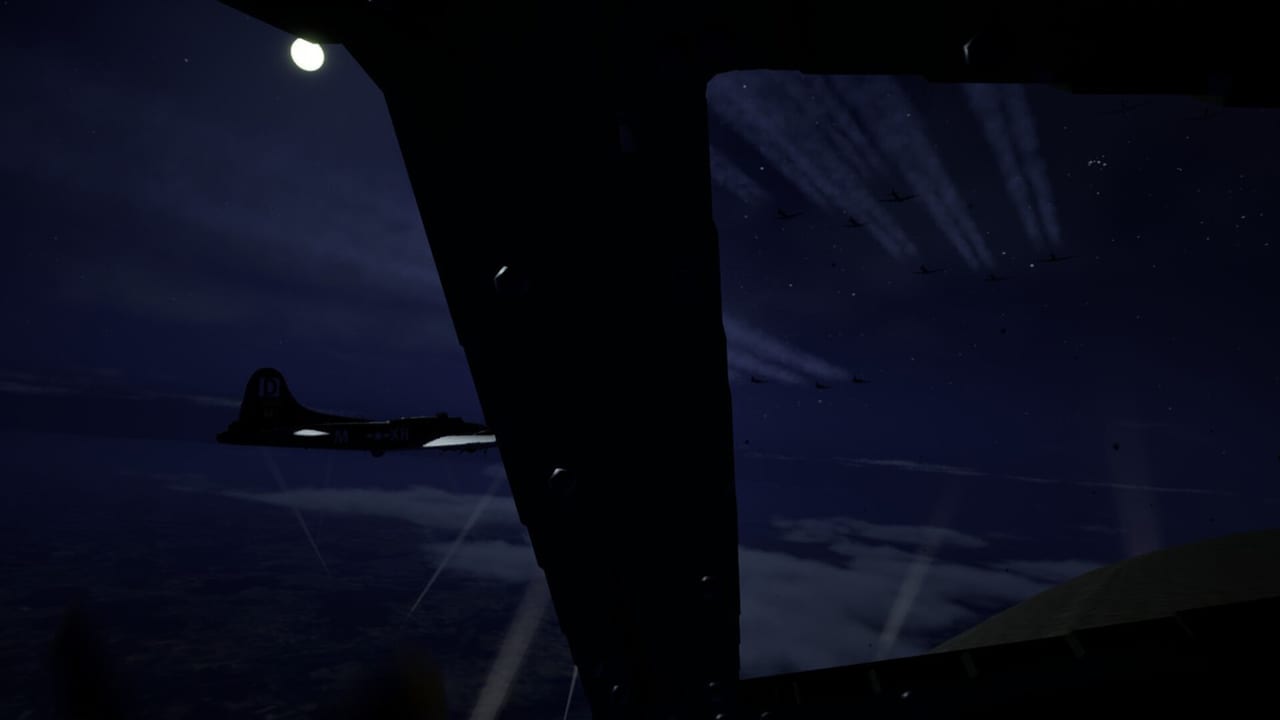
The Brave Few is built for shared cockpit chaos. Early Access co-op lets friends crew a B-17F, fly P-51D escort, and fight through flak and fighters with the same damage, repair, and heal systems you use solo. Steam lists Online Co-op, LAN Co-op, Shared/Split Screen Co-op, Shared/Split Screen, and Remote Play Together, plus single-player when you want AI-only seats. This guide explains how to host, join, claim stations, talk on the radio, and recover when the bomber is on fire — then points you to Crew Roles, Survive Flak, and co-op tips for deeper habits.
If you have not flown a tutorial yet, skim Getting Started and controls first. Co-op multiplies mistakes: a silent gun while three people argue over who grabs the med kit will end a mission faster than any ace.
Player count and what you share
Published Early Access scope calls out 2–16 player co-op with the ability to fly or gun in the B-17 or pilot as a P-51D escort. You do not need sixteen humans. AI crewmen hold every seat a player is not in, so a duo can still man a Fortress while empty turrets track under AI. That design is the backbone of drop-in play: friends can join mid-mission without leaving guns unmanned the moment someone disconnects.
You share one mission clock, one damage state, and one bail-out story. Who got out is what the record shows. Treat the airframe as a common resource — engines, wings, tail, fuselage, cockpit, gear, and turrets all fail independently — and assign who leaves their gun when a fire starts.
Crew room: claim, role, ready
Online co-op runs over Steam. Flow described for Early Access:
- Enter a crew room.
- Claim a station (pilot seat or one of the gun positions; escorts claim fighter seats as available).
- Pick your role among the seven specialised paths (Pilot Bomber/Fighter, Navigator, Bombardier, Radio Operator, Flight Engineer, Medic, Gunner).
- Ready up when binds and VOIP are set.
Supporting match tools include a crew browser, Quick Match, and Public or Private crews. Official dedicated servers are claimed nearest-first, falling back to the host’s machine. Drop-in joining is supported; Steam invites follow the crew to wherever it is flying. Local two-player splitscreen on one machine covers couch play, with Remote Play Together as another way to share a box.
Private crews are best for organised Discord nights; Public and Quick Match suit finding strangers who already understand gunner arcs. Always say your station and role in chat before takeoff so two players do not both expect to be Bombardier on the same run.
Voice chat and radio discipline
In-game VOIP supports push-to-talk or voice activation with a radio filter. Use it. Call:
- Fighter clock positions and high/low.
- Engine or wing fires and who is leaving a gun to repair.
- Wounded crew and which Medic is moving.
- Bomb run timing for the Norden sight.
- Bail-out decision — early enough that people can reach exits.
Keep non-mission chatter short on Hard and Veteran. The radio filter is flavour and a reminder that clarity beats banter when Wfr.Gr.21 rockets walk through the formation. More soft skills live on Players and co-op tips.
Hosting checklist
- Confirm everyone’s PC roughly meets system requirements and that broadband is stable.
- Agree difficulty (Easy / Normal / Hard / Veteran) or lock a custom panel: fighter count, ace count, fighter skill, and whether unlimited health/ammo or disabled job sequences are allowed. Custom “god mode” toggles are fine for teaching stations; turn them off for serious runs.
- Pick time of day (Morning, Noon, Dusk, Night) so lighting surprises no one.
- Decide Arcade vs Realistic flight before engine start; switching mid-mission is possible but confusing if half the crew expects different handling.
- Assign at least one player who knows repair paths (Flight Engineer mindset) and one who can heal (Medic). Pure gunner stacks look strong until the first fire.
- Brief formation rejoin key use and escort duties for anyone in a P-51D.
- Ready up only when VOIP tests clear.
Joining mid-mission
Drop-in means you may spawn into a wounded bomber. Immediately:
- Check which station is empty or AI-held and claim what the crew needs most.
- Ask whether fires or wounded are already being handled.
- Do not steal the Bombardier seat thirty seconds before bombs away unless asked.
- Read the mission objective from the briefing UI if you missed the start.
AI will have been covering your seat; when you take it, announce so nobody double-stacks the same gun.
Solo practice that makes co-op better
Fly single-player with AI before your first public crew. Learn station paths through the walkable fuselage, where the med kit and fuse box live, and how long you are off-gun during a repair. Persistent SP crews teach you the cost of bad bail-outs: a man lost on exit is gone, replaced at level one. That lesson transfers to co-op empathy — do not order a panic bail when the Fortress can still glide.
Use the Guides Hub reading order, then pressure-test with friends on Normal. Watch playtest footage (embedded above) for how crews narrate fires and station swaps under stress.
Threat awareness as a team
Coordinate against the published opposition set: Bf 109E, Bf 110C/F-2, Fw 190A/A-8, Me 410B-2, Ju 87B, flak, and rocket-armed bomber destroyers. Assign who watches high six versus nose approaches. Escorts in P-51Ds should call when they leave the bomber to chase — a lonely Fortress eats flak. Rank relative danger on the enemy threat page; practise gun solutions in the Gunner Guide.
After the mission
Debrief together: who left guns too long, who ignored a wing fire, whether difficulty should drop. Character and role XP accrue in co-op and single player, so even failed runs teach the roster. Track patch changes on Updates and the Early Access roadmap. Bookmark Links for Discord LFG. When roles feel muddy, return to Crew Roles and the crew roles tier.
Co-op in The Brave Few is not a lobby shooter with disposable lives — it is a shared machine that punishes silence and rewards clear radio, disciplined station swaps, and the humility to repair instead of spray. Ready up, claim your seat, and bring everyone home.
Frequently Asked Questions
Quick answers for Early Access crews.
How many players can join one co-op session?
Early Access materials describe **2–16** player co-op across B-17 crew stations and P-51D escort. AI fills seats humans leave empty.
Do I need a full human crew?
No. AI holds every unoccupied seat, so two players can still fly a complete Fortress. Add friends with drop-in joining as they become available.
Is there local split-screen?
Yes. Steam features list shared/split-screen co-op and local two-player splitscreen on one machine, plus Remote Play Together.
How does matchmaking work?
Use the crew browser, Quick Match, or Public/Private crews. Dedicated servers prefer the nearest official host and can fall back to the host machine. Steam invites follow the flying crew.
Should we use push-to-talk?
Either push-to-talk or voice activation works; both include a radio filter. Push-to-talk is cleaner on public crews so engine noise and open mics do not bury bandit calls.