The Brave Few Controls & Input Options
Bind flight, guns, crew jobs, and VOIP—then pick Arcade or Realistic flight modes.
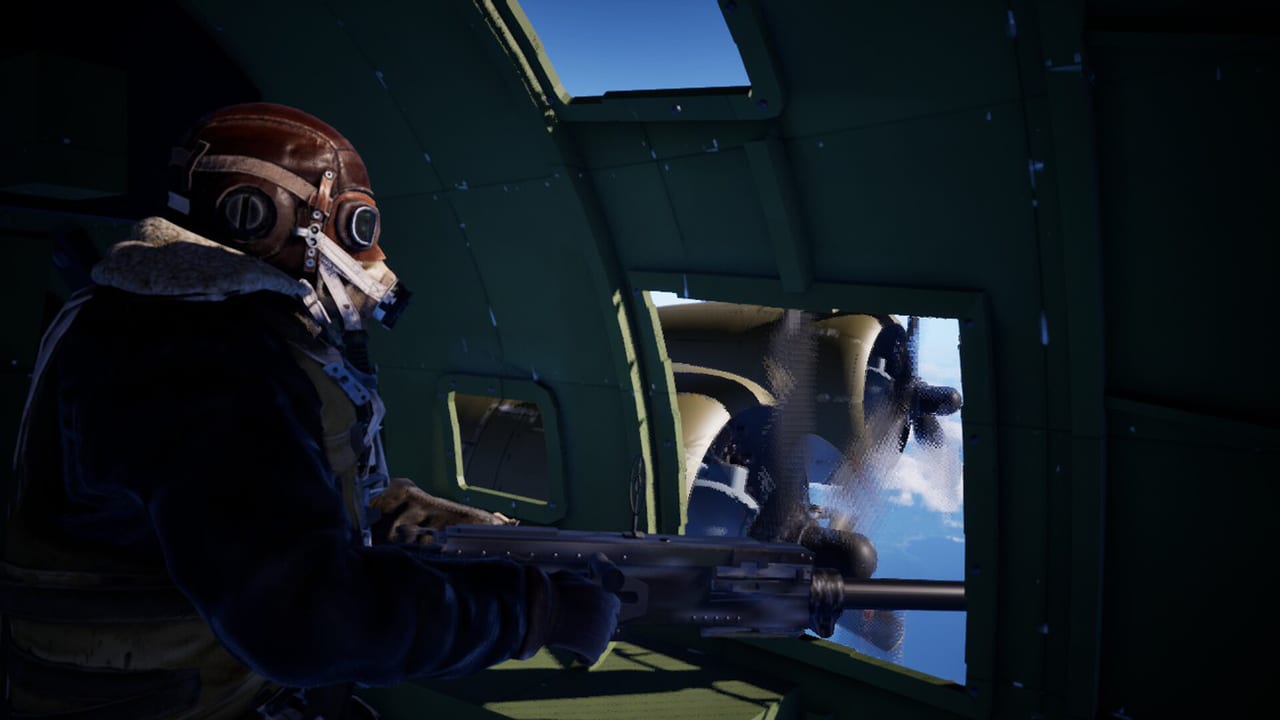
The Brave Few expects you to fly, gun, repair, heal, bomb, and talk without fighting your input map. Steam’s Early Access description lists mouse and keyboard, gamepad with full controller support, full key rebinding in game, graphics presets and scalability, six audio sliders, plus sensitivity, invert, and mouse-aim options. Flight uses a custom model with Arcade and Realistic modes, switchable at any time, plus bombsight and bomb-run tooling. HOTAS support appears in the pricing FAQ as a feature example planned while the price may rise—treat it as upcoming, not a confirmed launch peripheral tier. Use this page with System Requirements, Stations and Voice, Getting Started, and How to Play Co-op.
Input devices at Early Access
Mouse and keyboard
MKB remains the default for precision gun aiming and menu work. Mouse-aim options and sensitivity/invert toggles are explicitly called out—dial these before you judge the Gunner Guide advice. Pilots who prefer stick feel on keyboard should still bind dedicated keys for engine fire responses, station interact, and bail so those actions are not buried in chords mid-flak.
Full controller support
Steam marks full controller support and store tags include split-screen play. Controllers are ideal for couch two-player split-screen and for Bomber Pilots who want analogue flight inputs while a second player guns on MKB. Confirm each player’s device in the crew room before ready-up so claims match hardware.
Rebinding
Full key rebinding in game means you should not live with colliding chat, push-to-talk, and repair keys. Prioritise:
- Push-to-talk / voice activation toggle
- Station enter/exit or interact
- Fire extinguishing / repair interact
- Medic interact / revive
- Bail-out
- Formation rejoin (when flying)
- Mode toggle for Arcade ↔ Realistic if exposed as a hotkey in your build
After rebinding, run a tutorial mission from Getting Started before joining Public crews.
Flight modes: Arcade and Realistic
Steam states Arcade and Realistic modes, switchable at any time, on a custom per-aircraft aerodynamics model. Practical guidance:
- Arcade — friendlier for new Bomber Pilots, split-screen newcomers, and crews teaching station flow without fighting every axis.
- Realistic — tighter coupling to the damage and energy story Indub markets; better practice once you can manage engines and fires.
- Switch mid-session if a friend is struggling on final or if you want a calmer bomb run after a brutal ingress—communication matters so escorts know which flight behaviour to expect.
Neither mode removes flak concussion or component damage; they change how the aircraft flies while those systems still apply. See Survive Flak for damage habits that outrank input ideology.
Guns, bombsight, and crew jobs
Gunners need comfortable pitch/yaw fine control and a clear secondary for calling targets on VOIP. Bombardiers must reach arm bombs and Norden bomb sight controls without dropping out of the run UI. Engineers and Medics bind interact keys that work while moving through the walkable fuselage toward the fuse box or med kit. Remember Steam’s cost: leaving a gun to repair or heal silences that gun until you return—binds that slow interact time multiply that downtime.
Audio and VOIP-related settings
Six audio sliders let you keep engine roar from drowning radio calls. Combine that with push-to-talk or voice activation plus the radio filter described under multiplayer. If voice activation false-triggers during flak, switch to push-to-talk and bind it on a mouse side button or controller bumper. Details sit in Stations and Voice.
HOTAS, VR, and later input
When asked whether price changes after Early Access, Indub answered that they plan to raise the price as they ship new content and features, giving examples such as VR, HOTAS support, campaigns, etc. That sentence is the factual basis for “HOTAS planned later”—not a patch date. Experimental VR already appears on the requirements list; serious HOTAS users should follow Official Links and the Early Access Roadmap for implementation news rather than assuming day-one profiles.
Suggested binding checklist before co-op
| Action | Why it matters |
|---|---|
| PTT | Keeps Co-op Tips calls clean |
| Repair / extinguish | Cuts fire time on four-engine damage model |
| Medic interact | Recovers downed gunners faster |
| Station switch | Enables mid-mission flexibility |
| Bail | Matches Steam’s crew bail record behaviour |
| Sensitivity presets | Separate pilot vs gunner feel if you swap seats |
Graphics and accessibility adjacent options
Graphics presets and scalability help minimum-spec GPUs (System Requirements). Lower presets during Night missions if frame pacing hurts gun leading. Invert and sensitivity options cover common comfort needs; there is no substitute for practicing station paths in a quiet Easy mission first.
Related pages
- Tools Hub · System Requirements
- Players · Stations and Voice · Co-op Tips
- Guides · Crew Roles · Gunner Guide
- Updates · Release Date
Revisit your binds after major Early Access patches—new vehicles and modes in Indub’s long-term vision will add inputs you do not need on B-17 day one.
Frequently Asked Questions
Quick answers for Early Access crews.
Can I rebind every key?
Steam states full key rebinding is available in game for Early Access.
Are Arcade and Realistic permanent choices?
No. Official copy says Arcade and Realistic modes are switchable at any time.
Is HOTAS supported at launch?
HOTAS is cited as a future feature example tied to post-launch content and possible price rises—not listed among day-one control bullets.
Do controllers work for gunners?
Full controller support is listed. Many players still prefer mouse aim for turrets—try both in tutorial missions.
What should I bind before Public matchmaking?
Push-to-talk, repair/extinguish, medic interact, station interact, and bail. Then confirm Arcade/Realistic preference with your crew.