The Brave Few Stations, Claims, and Voice Chat
How Early Access crew rooms, gun stations, radio VOIP, and two-player split-screen fit together.
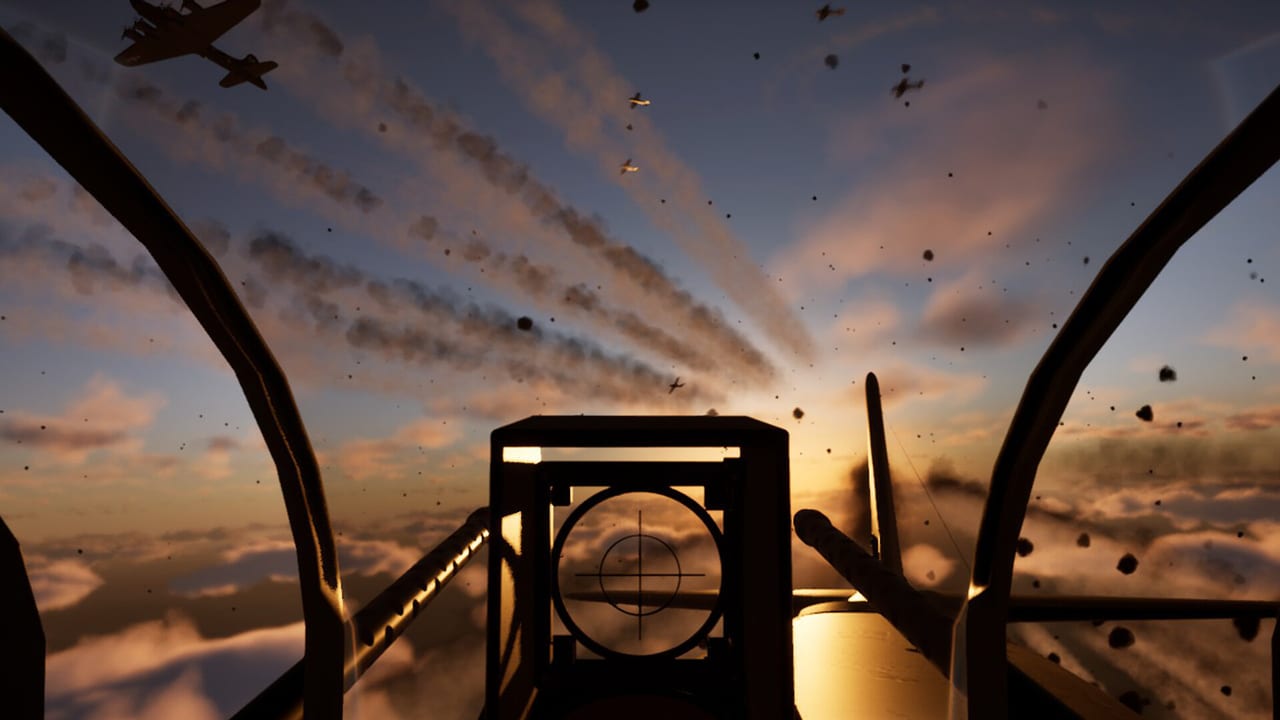
Early Access multiplayer in The Brave Few is built around a crew room, physical stations inside a walkable B-17F, and in-game VOIP that can sound like aircraft radio. Steam also lists local two-player split-screen on one machine. This page consolidates those systems so your group spends less time fighting the lobby and more time fighting flak. Pair it with Co-op Tips, Controls, How to Play Co-op, and Crew Roles.
Crew room: claim, role, ready
Steam’s multiplayer section describes a crew room where you claim a station, pick your role, and ready up. Supporting tools include a crew browser, Quick Match, and Public or Private crews. Official dedicated servers are claimed nearest-first and can fall back to the host’s own machine. Drop-in joining is supported, and Steam invites follow the crew to wherever it is flying.
Practical claim habits
- Claim the job you will actually perform for the first thirty minutes—not a prestige title you will abandon at the first engine fire.
- If you take Bombardier, stay available for the run even if you help on a nose gun beforehand.
- If you take Flight Engineer or Medic, say so in voice so Gunners know who will leave an arc when damage hits.
- Leave obvious open seats labelled in chat for drop-ins (“ball open”, “radio free”).
- Ready up only after difficulty, time of day, and Private/Public status are agreed.
Role choices map to the seven Early Access roles: Pilot (Bomber or Fighter), Gunner, Navigator, Flight Engineer, Medic, Bombardier, Radio Operator. Fighter Pilots may be claiming P-51D escort rather than a Fortress gun. See the Crew Roles Tier List if your lobby argues about priority.
Stations on the B-17F
The current Early Access Fortress lists eight gun stations plus the pilot’s seat:
- Two cheek guns and a third nose gun
- Top turret
- Ball turret
- Both waist guns
- Radio-room gun
- Tail guns
- Pilot’s seat
You can switch stations mid-mission. AI crewmen hold every seat a player is not in. Full-bodied crewmen, a walkable fuselage, and physical objects—such as the fuse box and med kit—mean movement through the aircraft is part of play, not a menu toggle. When you leave a gun to repair or heal, Steam notes that the gun goes quiet while you are away.
Mid-mission switch etiquette
- Call the move: “Leaving tail for Engineer” beats silent disappearance.
- Confirm AI or another player takes the arc.
- After the fire or revive, either return or explicitly hand the repair job off.
- During the bomb run, avoid unnecessary station tourism around the Bombardier.
Gunners sharpen arcs with the Gunner Guide; everyone benefits from Survive Flak when concussion starts cascading damage through components.
Voice chat and the radio filter
Steam lists voice chat with push-to-talk or voice activation and a radio filter. That filter is immersion and clarity: it separates crew talk from living-room noise and reminds players to keep calls short.
Suggested call discipline
- Contacts: clock position, high/low, type if known (109, 190, 110, 410, rocket, flak).
- Damage: engine number, fire, control surface, wounded crew station.
- Jobs: “Engineer moving”, “Medic on waist”, “Bombardier on sight”.
- Escort: “P-51 engaged north”, “rejoining box”.
- Bail: clear bail call—Steam notes the crew can bail with you and the record tracks who got out.
Bind push-to-talk somewhere reliable; full key rebinding is supported in-game per Steam. If you prefer voice activation, test it in the crew room before engines start so wind and flak audio do not open your mic constantly. More binding detail lives on Controls.
Split-screen and local play
Steam features include Shared/Split Screen Co-op, Shared/Split Screen, and Remote Play Together, and the Early Access state text calls out local two-player split-screen on one machine. Practical notes:
- Confirm both players have a working device (keyboard/mouse and/or controllers—full controller support is listed).
- Decide seats before split UI crowds the briefing: classic pairs are Pilot + Gunner or Engineer + Gunner.
- Use shorter VOIP expectations when both players share a couch—radio filter still helps if one player hosts online friends simultaneously; verify current session combinations in your build.
- Check System Requirements before hosting split-screen plus online guests on minimum hardware.
Solo versus crew browser
You can still fly solo with an AI crew. Persistent single-player crewmen with service records are a separate progression track from tonight’s Public Quick Match. Use solo to learn station paths and fuse-box routes, then return to the crew browser when friends are online. Getting Started and the Players Hub outline both paths.
Related pages
- Co-op Tips · Players Hub
- How to Play Co-op · Crew Roles
- Tier List · Enemy Threat
- Controls · Updates · Official Links
Mastering stations and voice will not remove Me 410 passes or Wfr.Gr.21 ripples from the sky—but it stops your own crew from being the reason three guns go dark at once.
Frequently Asked Questions
Quick answers for Early Access crews.
Can I change stations after takeoff?
Yes. Steam states you can switch stations mid-mission while AI holds seats no player occupies.
What VOIP modes exist?
Push-to-talk or voice activation, with a radio filter applied to in-game voice.
How many gun stations does the B-17F have?
Eight gun stations plus the pilot’s seat, including cheek, nose, top, ball, waist, radio-room, and tail positions.
Is split-screen limited to two players?
Early Access notes describe local two-player split-screen on one machine. Online crews can still scale up to the listed 2–16 range.
Do dedicated servers always host us?
Official dedicated servers are claimed nearest-first and can fall back to the host’s machine if needed.